Adding a New Authorization to a Client’s Admission
To add a new authorization to a client’s profile:
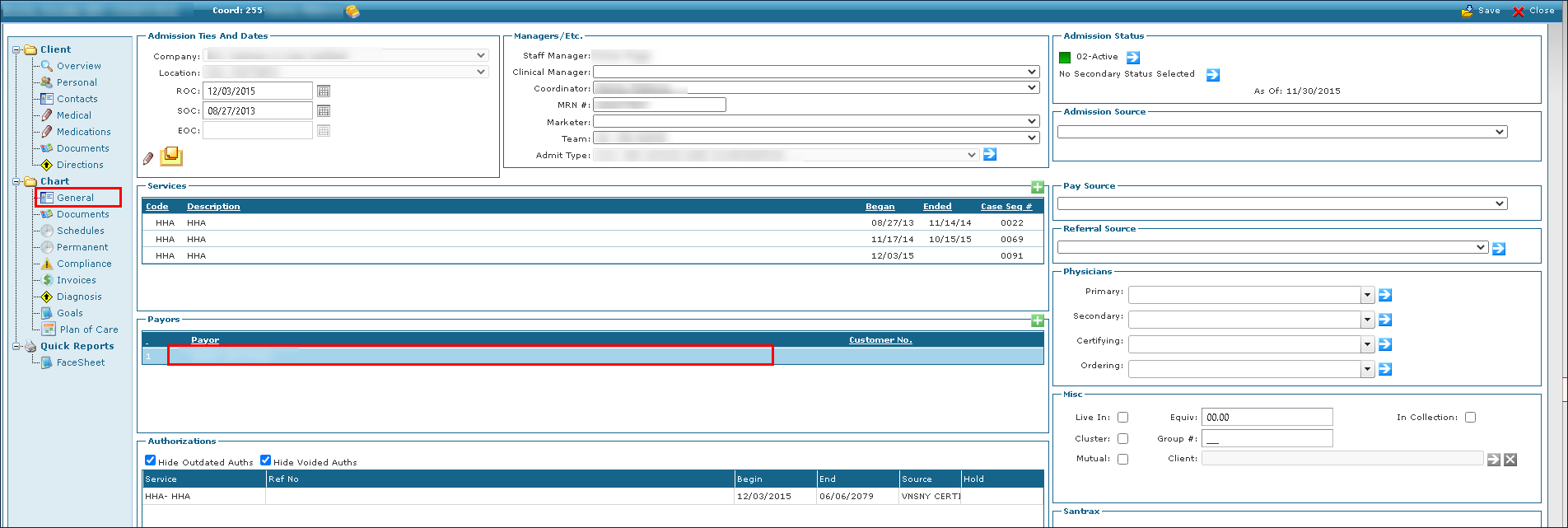
| 1. | Locate and open the client's admission. |
Click General.
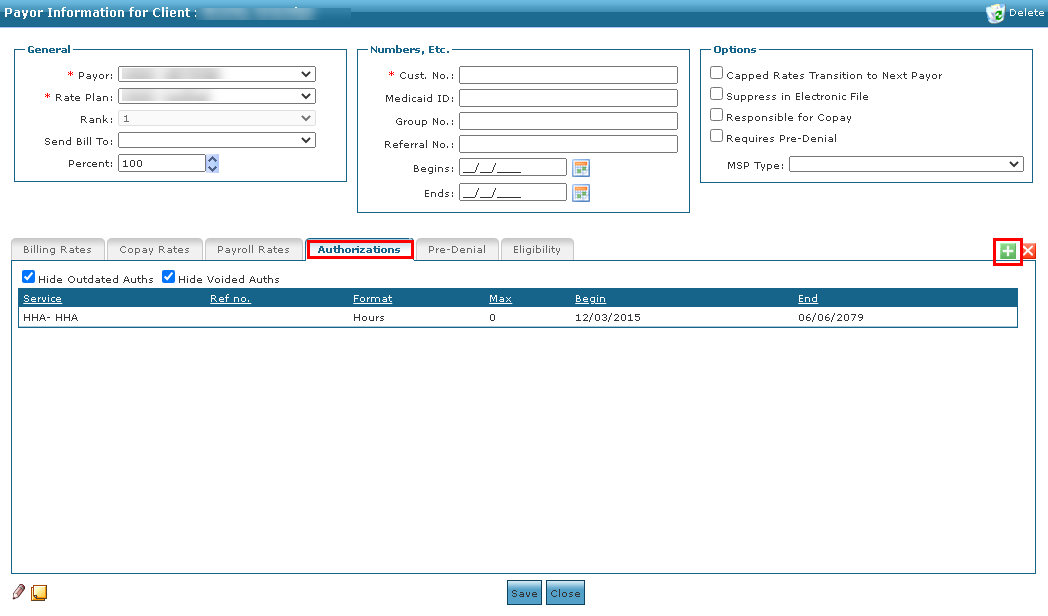
| 2. | Double click on the client’s Payor. |
| 3. | Click the Authorizations tab. |
| 4. | Click Add New Authorization. |
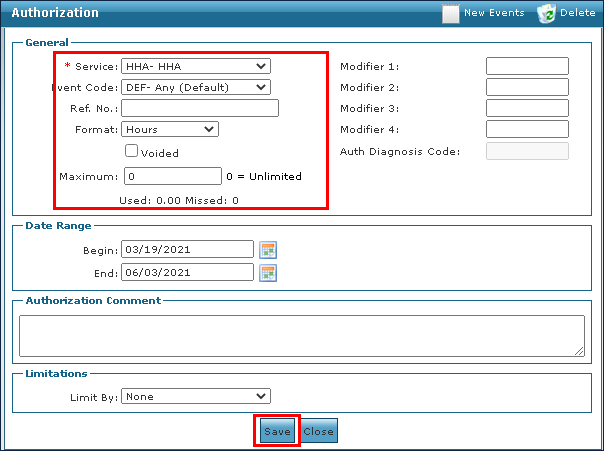
| 5. | Use the fields to enter the authorization information. |
| 6. | Enter the Begin and End dates. |
| 7. | Enter a comment, if applicable. |
| 8. | Select the Limitations. |
This section further limits the total authorized maximum units that can be used per day, week, month, or year. When limiting by day, a daily time frame can also be specified.
Comments
0 comments
Please sign in to leave a comment.