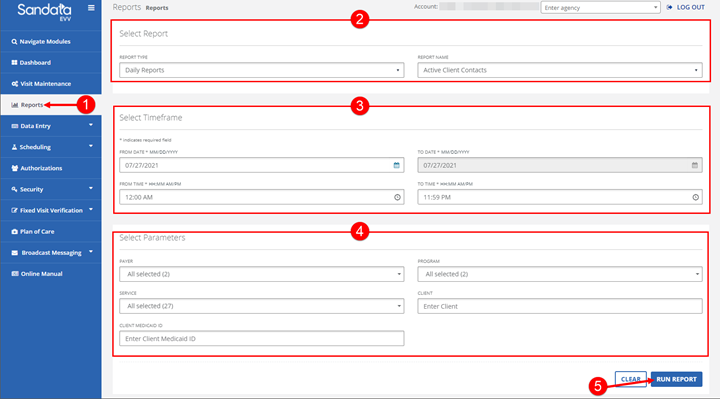
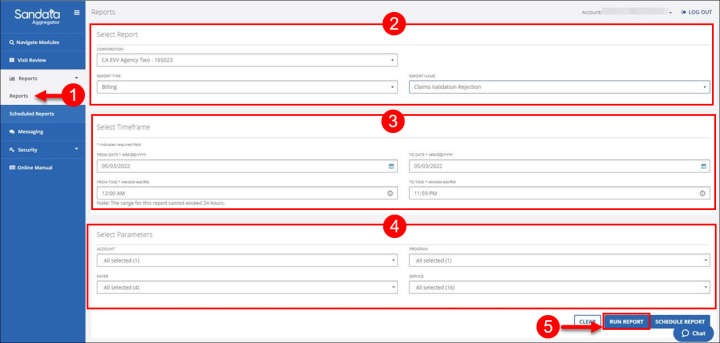
1. Navigate to the Reports screen. (Reports > Reports)
2. Select the REPORT TYPE and REPORT NAME.
3. Enter/Select the applicable fields in the Timeframe section.
4. Enter/Select the applicable fields in the Select Parameters section.
5. Click RUN REPORT.
|
Note: Reports run using longer date ranges or containing lots of data may require the selection of other parameters such as: Client, Employee or Supervisor to reduce the size of the report and ensure efficiency. |
Running a Report
Comments
0 comments
Please sign in to leave a comment.