Editing a Plan of Care
1. Navigate to the Editing Plan of Care screen. (Plan of Care)
2. Search for a Plan of Care.
3. Click the EDIT ( ) button for the appropriate client.
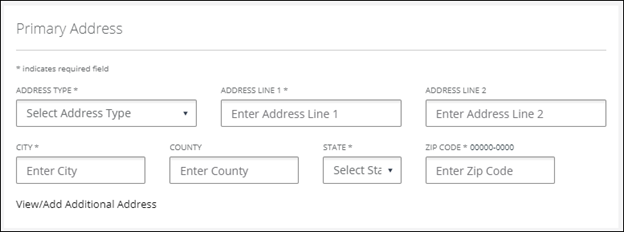
Searching for a Plan of Care
4. Modify the desired fields on the Plan of Care tab.
The CLIENT NAME and CLIENT ID cannot be changed.
5. Click NEXT.
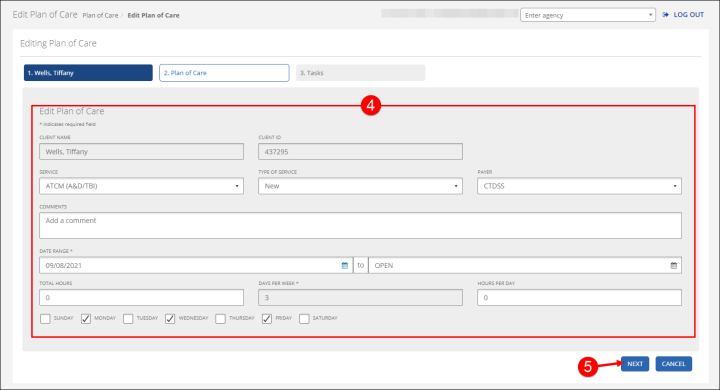
Edit Plan of Care
6. Add, Edit ( ), or Remove ( ) tasks.
The plan of care can be saved with no tasks or limit time entered.
7. Click FINISH.
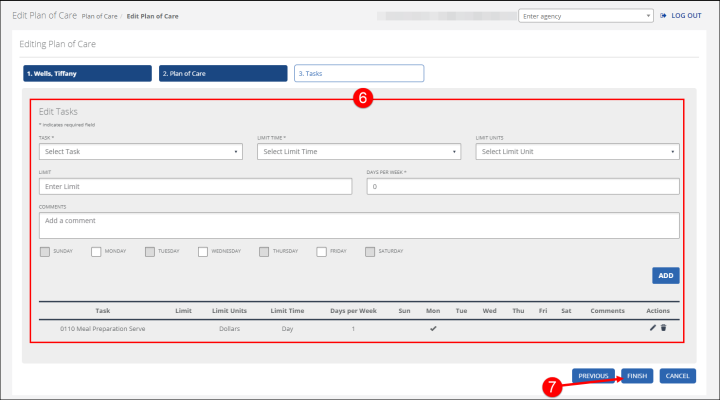
Edit Plan of Care Tasks
Comments
0 comments
Please sign in to leave a comment.