Completing the OASIS Associated with a Notice of Admission
| Note: A Skinny OASIS is only be needed for the initial SOC episode as it is required at this time to generate the NOA within 5 calendar days. All other episodes will no longer require the 5-calendar day timeframe for RAP submission because there are no more RAPs. |

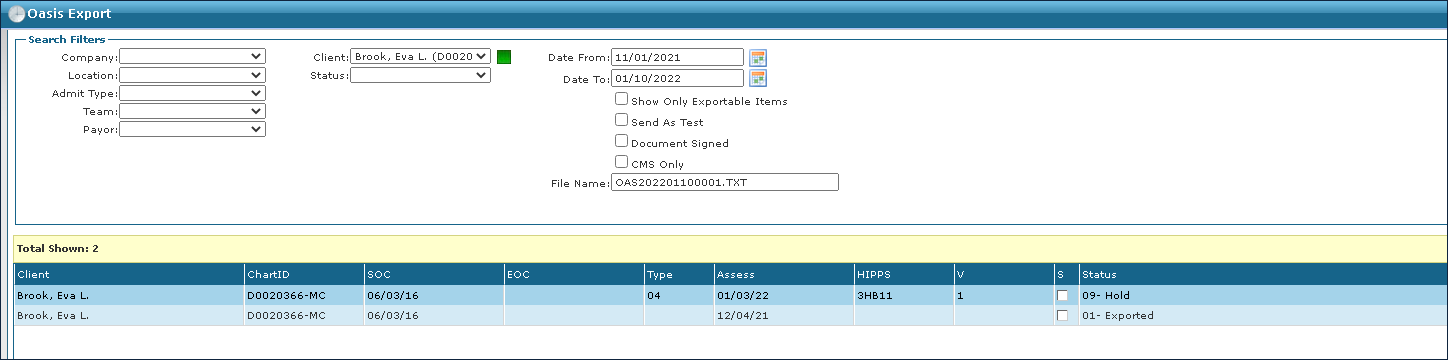
| 1. | Navigate to the OASIS Assessments screen. |
Client > Exports > OASIS Assessments
| 2. | Use the filters to locate the OASIS to be updated. |
| 3. | Complete the Skinny OASIS with any necessary information. |
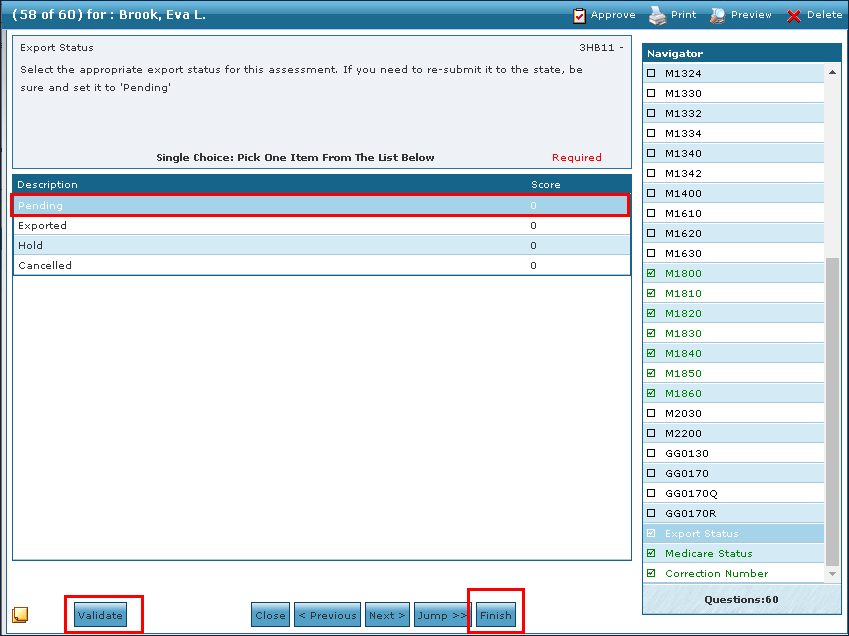
| 4. | Change the status to Pending. |
| 5. | Click Validate. |
| 6. | Make any corrections as needed. |
| 7. | Click Finish. |
The 30-day claim is generated in RAP Paid status.
Comments
0 comments
Please sign in to leave a comment.