Opening a Schedule
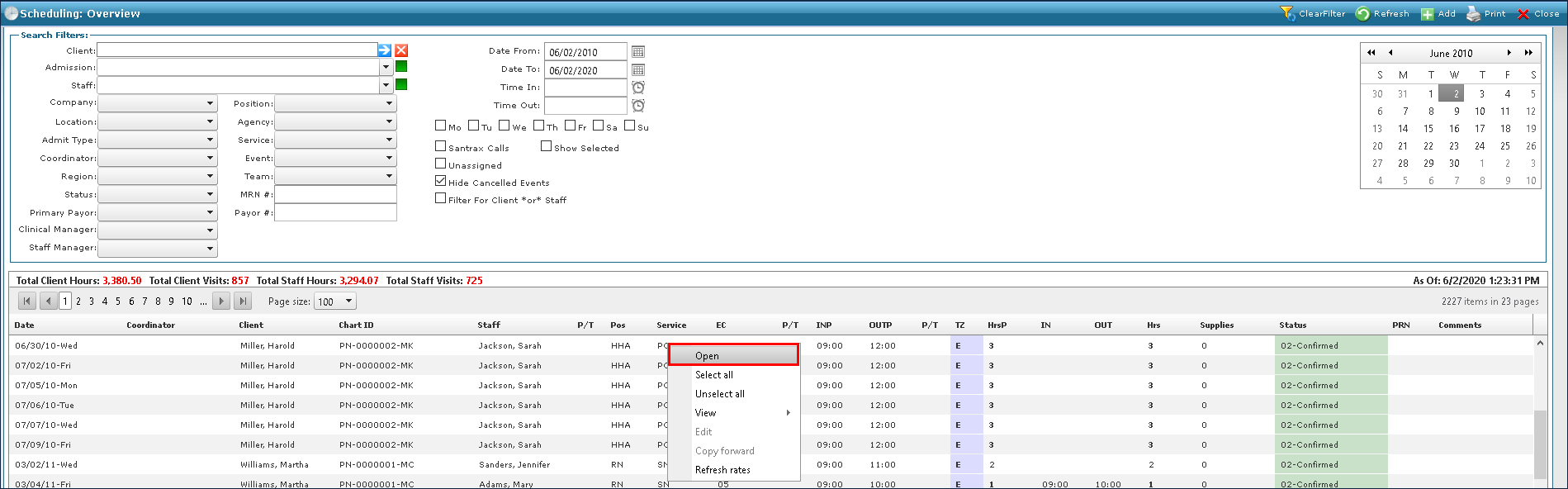
The Open button launches the Schedule Detail screen for an event. You can also double click a schedule to launch the Schedule Detail screen.
To open a schedule:
| 1. | Navigate to the Scheduling Overview screen. |
Main Menu > Scheduling
| 2. | Use the filters to locate the schedule to be opened. |
| 3. | Right click on the schedule and click Open. |
Comments
0 comments
Please sign in to leave a comment.