Accessing the GPS Screen for a Visit
| 1. | Enter the applicable search filters. Call Type: ‘Mobile.’ |
| 2. | Click Refresh. |

| 3. | Select a visit. |
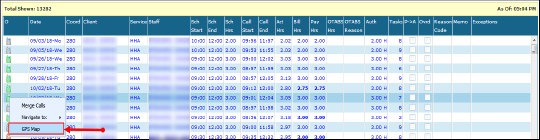
| 4. | Right-click to display the context menu. |
| 5. | Click GPS Map. |
The GPS map for the visit displays with the location of the in-call, out-call and the client’s primary address.
Comments
0 comments
Please sign in to leave a comment.