Sandata Technologies Help Center home page
Sandata News New User Sign Up Submit a request Sign in

Search

  1. Sandata Technologies
  2. Hidden Category
  3. Product User Guides
  4. Sandata Agency Management
  5. Billing
  6. 08-Manual Remittance

Saving a Posting Session

Saving a Posting Session

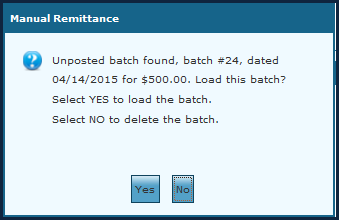
Select Save, on the menu bar, to save a posting session that is in progress and continue posting payments later. The user cannot begin a new posting session until the saved one is completed or deleted.

Note: The saved batch can only be accessed by the user that created it.

  • SAM Manual.5.log-1524159190.zip40 KB
  • SAM Manual.5.log-1524159190.zip40 KB
  • SAM Manual.5.log-1524159190.zip40 KB
  • SAM Manual.5.log-1524159190.zip40 KB
  • SAM Manual.5.log-1524159190.zip40 KB
  • SAM Manual.5.log-1524159190.zip40 KB

Comments

0 comments

Please sign in to leave a comment.

Articles in this section

  • Manual Remittance
  • Batch Options
  • Payment Options
  • Invoice Filters/Date Range/Service Date Range
  • Active Records
  • Current Queue
  • Posting Payments/Batches Using Manual Remittance
  • Posting Adjustments Using Manual Remittance
  • Example of Posting an Adjustment Using Manual Remittance
  • Posting Takebacks Using Manual Remittance

See all 19 articles

Sandata.com Compliance Documentation & Reports Security & Privacy Information
EspaƱol