GPS Distance Exception
When an agency is set up with Sandata Mobile Connect, a GPS Distance exception displays when a call in or call out is placed outside of the configured distance (1 mile) from any of the client’s addresses in the system.
Resolving a GPS Distance Exception
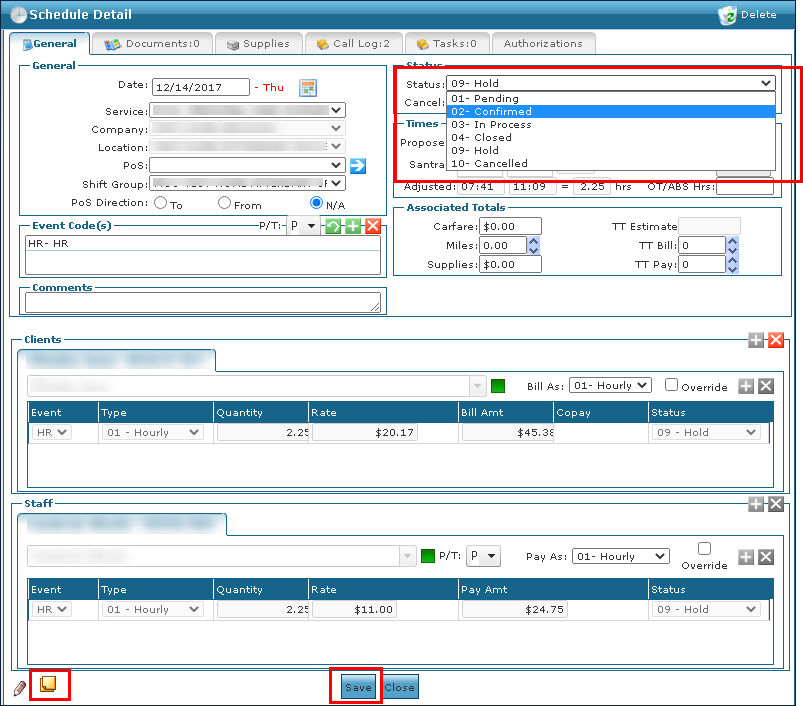
1. Navigate to the Schedule Detail screen.
Main Menu > Scheduling > Santrax Maintenance > Search for and open the applicable visit
2. Add a note indicating that the visit took place at a confirmed one-time exception.
3. Change the status of the visit from ’09-Hold’ to ’02-Confirmed, on the general tab.’
4. Click Save.
5. Select the appropriate reason code.
6. Click Save.

Comments
0 comments
Please sign in to leave a comment.