No Service
A ‘No Service’ exception displays when a visit has been created without a service assigned to the visit. This exception usually appears along with the Unknown Client/Unscheduled Visit exception.
Resolving a No Service Exception
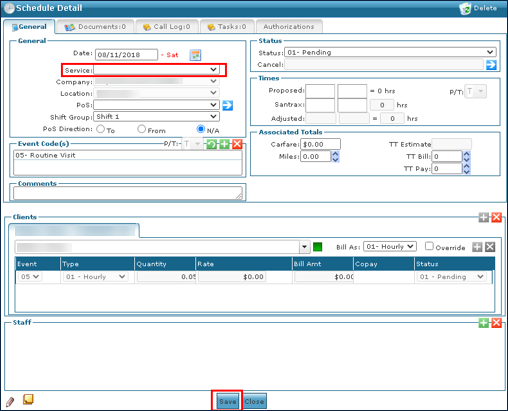
1. Double click on the visit to open the Schedule Detail.
2. Select the Service delivered during the visit.
3. Click Save.
If you are confirming the visit, select a Reason Code.
Comments
0 comments
Please sign in to leave a comment.